Wedding photo sharing, made simple.
Your photographer captures the big moments. Your guests capture everything in between. Bring their favourite photos together in one beautiful gallery, without asking anyone to download an app.
Free for up to 50 photos. No guest accounts. No subscription.
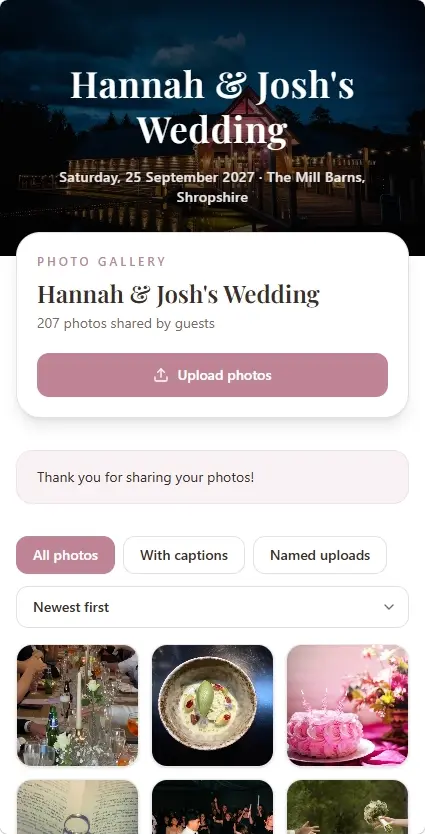
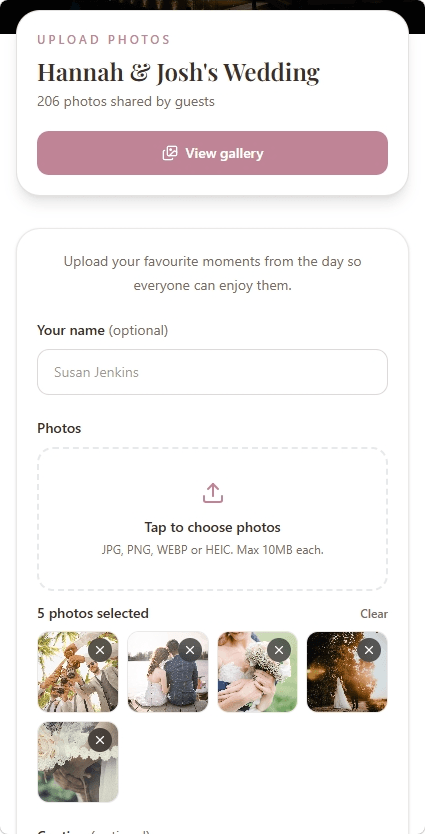
The moments you might otherwise miss
See your wedding through everyone’s eyes
The laughter at the tables, the dance-floor selfies, the candid moments while you're somewhere else. Give everyone a simple place to contribute so those photos don't stay scattered across phones and group chats.
Easy for every guest
Guests open a link in their browser and upload straight from their phone. No app to install or account to create.
All the moments together
Bring the ceremony, reception and dance-floor photos into a single shared wedding collection.
Shared on your terms
Your gallery has its own unique link. Share it with the people you want to invite to view and contribute.
Memories you can keep
Browse everyone's uploads, save your favourites or download the whole collection.
For your guests
Sharing a photo should be the easy part
A guest opens your link, chooses photos from their phone and uploads them. That's it. No new account, no password to remember and no extra app taking up space.
Curious how it works? Discover photo sharing without an app or guest sign-up, with simple uploads straight from your guests' browsers.
- Upload from a phone, tablet or computer
- Browse photos others have shared
- Send the gallery link before, during or after the wedding
- Optional approval lets you review uploads before they're shown
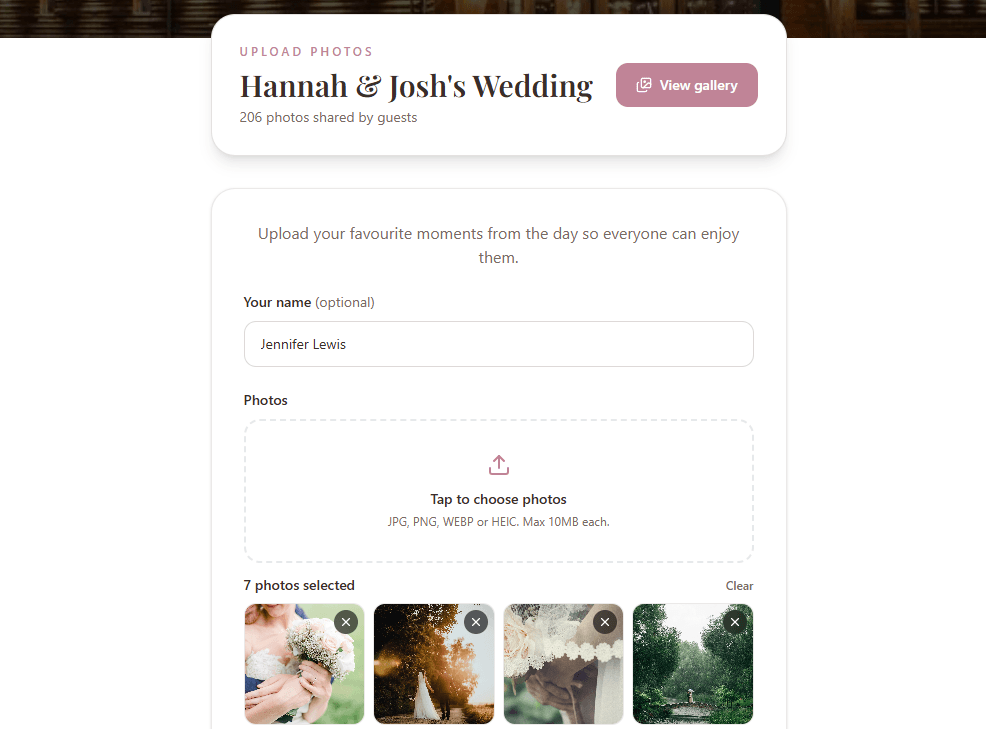
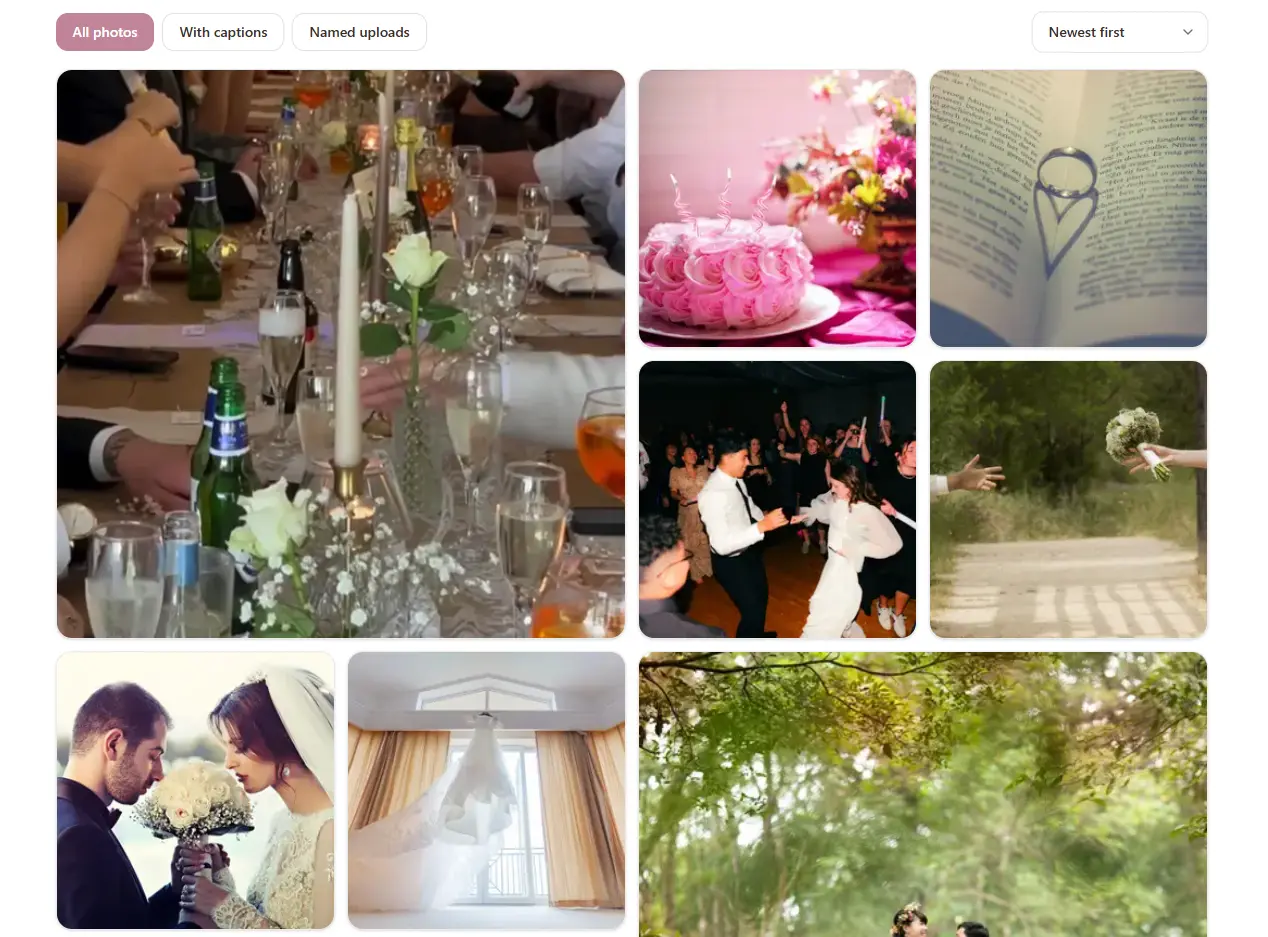
For the happy couple
One lovely place for all the little moments
Instead of asking everyone to send photos individually, invite guests to add them to a collection you can enjoy together. Browse new uploads, remove anything you don't want to keep and download your favourite memories.
You're in control
Manage uploads and optionally approve photos before they appear.
Save the collection
Download individual images or the whole gallery.
How it works
Ready before the first guest arrives
Set it up ahead of your wedding, then let friends and family do the sharing.
- 01
Create your wedding gallery
Add your names, wedding details, a cover photo and a welcome message. You can set everything up before the big day.
- 02
Invite your guests to contribute
Share the gallery link with your guests. With Gallery Pro, you can also download a QR code to print on wedding signs or table cards.
- 03
Enjoy everyone's point of view
Guests choose photos from their phones and upload them to your gallery. Browse their perspectives and download your collection.
You can explore the gallery before deciding to upgrade.
Want guests to upload photos by scanning a code? Learn how to use a wedding photo QR code on your signs and table cards.
Simple, one-time pricing
More memories. No monthly fees.
Start with a free wedding gallery and try the upload experience with up to 50 photos. When you're ready to collect more, upgrade that gallery with one payment.
Planning more than photo sharing? Our RSVP + Photo Gallery bundle includes MySimpleRSVP Premium and Gallery Pro together for £27.
Explore wedding RSVPs and photo sharing togetherGallery Pro
Try it free, then upgrade when you're ready.
- Up to 5,000 photo uploads
- Downloadable gallery QR code
- No accounts needed for guests
- Custom cover photo and welcome message
- Manage and download photos
No subscription or recurring payment.
A little planning goes a long way
A few tips for a gallery full of memories
Tell guests what it's for
A short note in your welcome message encourages candid photos, not just posed shots.
Make the link easy to find
Send it in a message, or add a Gallery Pro QR code to a sign where guests will notice it.
Share a reminder afterwards
Some of the best photos are still on guests' camera rolls the next morning.
Still deciding how to gather everyone's pictures? Explore different ways to collect wedding photos from guests, including shared albums, group chats and dedicated photo galleries.
Questions answered
Wedding photo sharing FAQs
Do our wedding guests need to download an app?
No. Guests can open your gallery in their phone's browser and upload photos without installing anything or creating an account.
Can guests upload photos from iPhones and Android phones?
Yes. MySimpleGallery works in modern mobile browsers, so guests can choose photos from an iPhone, Android phone, tablet or computer.
Can guests see the photos other people have shared?
Yes. Guests with the gallery link can browse the shared collection. You can also enable optional upload approval if you'd prefer to review photos before they appear.
Is our wedding gallery private?
Your gallery has a unique, unlisted link rather than a public directory listing. Anyone who receives that link may be able to access it, so share it thoughtfully. It is not a password-protected gallery.
How many wedding photos can we collect?
Free galleries allow up to 50 photo uploads, so you can try the experience first. Gallery Pro increases the allowance to 5,000 photo uploads for a one-time £18 payment per gallery.
Can we download the wedding photos afterwards?
Yes. You can download individual pictures or your whole gallery. We recommend downloading and keeping your own backup of the collection after the wedding.
Can guests share videos too?
Not currently. MySimpleGallery supports photo uploads; video uploading is not available yet.
Can we use MySimpleGallery for our wedding RSVPs as well?
MySimpleGallery focuses on photos. If you also need online wedding RSVPs, meal choices or custom questions, you can connect it with MySimpleRSVP through the £27 one-time bundle. Each product has its own guest-facing link.
Don't let the little moments get lost
Give friends and family one easy place to share the photos you'll love looking back on.
Create your free wedding galleryFree for up to 50 photo uploads.